

🔐 useLogout 退出登录 Hook 使用指南
🎯 功能简介
useLogout 是一个用于处理用户退出登录的 Hook,它提供了优雅的退出流程,包括确认弹窗、清理本地存储和重定向到登录页面等功能。
🚀 核心特性
- 🎯 优雅的退出流程
- 🗑️ 自动清理本地存储
- �� 支持自定义重定向配置
- ⚠️ 退出前二次确认
- 🔒 安全的会话清理
📝 使用方法
基本配置
typescript
const { onLogout } = useLogout({
  localPort: '3012' // 可选,默认值为 '3600'
});完整示例及效果
vue
<template>
  <div class="app-container">
    <header>
      <h1>@pt/common-ui 预览</h1>
      <nav class="flex">
        <router-link to="/">组件展示</router-link> |
        <router-link to="/auth">权限演示</router-link>
        <a-button class="ml-auto" type="primary" @click="onLogout">退出登录</a-button>
      </nav>
    </header>

    <main>
      <router-view></router-view>
    </main>
  </div>
</template>

<script setup lang="ts">
import { useLogout } from '@pt/common-ui';
const { onLogout } = useLogout({
  localPort: '3012',
});
</script>

<style>
.app-container {
  font-family: Arial, sans-serif;
  max-width: 1200px;
  margin: 0 auto;
  padding: 20px;
}

header {
  margin-bottom: 30px;
  border-bottom: 1px solid #eee;
  padding-bottom: 20px;
}

nav {
  margin-top: 10px;
}

nav a {
  margin-right: 10px;
  color: #333;
  text-decoration: none;
}

nav a.router-link-active {
  font-weight: bold;
  color: #0066cc;
}
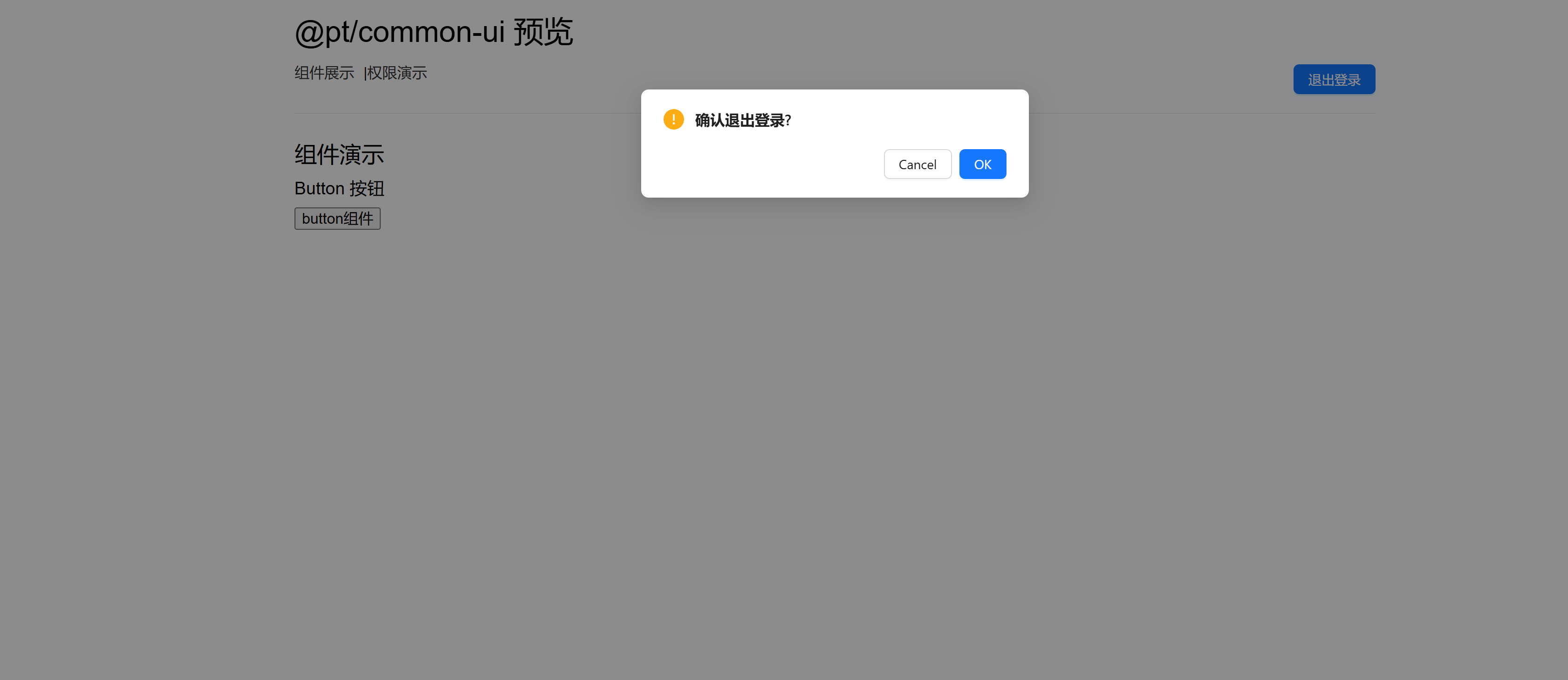
</style>运行效果如下:
⌨️ 完整源码实现
typescript
import { loginOutApi } from '@/api/modules/login';
import { getLoginUrl } from '@/config/siteConfig';
import { storage } from '@pt/utils';
import { Modal } from 'ant-design-vue';

interface LoginConfig {
  localPort: string;
}

export const useLogout = (loginConfig: LoginConfig = { localPort: '3600' }) => {
  const onLogout = () => {
    // 这里可以添加退出相关的逻辑
    Modal.confirm({
      title: '确认退出登录?',
      class: 'tdarco-modal',
      async onOk() {
        await doLogout();
      },
    });
  };

  async function doLogout() {
    const { code } = await loginOutApi();
    if (code) {
      window.location.href = getLoginUrl(false, loginConfig.localPort);
      storage.clear();
    }
  }

  return {
    onLogout,
  };
};🔧 配置选项
| 参数 | 类型 | 必填 | 说明 |
|---|---|---|---|
| localPort | string | 否 | 本地端口号,默认值为 '3600' |
💡 最佳实践
- 在页面顶部或导航栏中放置退出按钮
- 使用
onLogout方法处理退出事件 - 确保在退出前清理所有敏感数据
- 合理设置重定向配置
- 在组件卸载时确保清理相关状态
⚠️ 注意事项
- 退出操作会清除所有本地存储的数据
- 退出后会自动重定向到登录页面
- 退出前会有确认弹窗,防止误操作
- 确保
loginOutApi接口正确配置 - 检查
getLoginUrl方法是否正确实现